
 By Joshua Brock Aug 27, 2026 9 minute read
7 Ways to Supercharge Your Confluence Pages with Aura Apps
Discover 7 ways to transform Confluence with the Aura Apps suite — from page formatting and drag-and-drop building to intranet, analytics, and workflows.
If your Confluence pages look like a wall of text with a few bullet points scattered in, you’re not alone, and you’re leaving a lot of value on the table. Confluence is a powerful tool, but out of the box, its formatting and functionality can feel limited. That’s where Aura Apps comes in.
Aura Apps is a suite of apps for Atlassian Confluence, developed by Seibert Products, the #1-rated vendor for Confluence formatting on the Atlassian Marketplace. Their apps are trusted by over 4,500 teams at organizations like Netflix, Sony, and IKEA. Here are seven ways to put them to work.
1. Make pages look professional with Aura Formatting (visual macros)
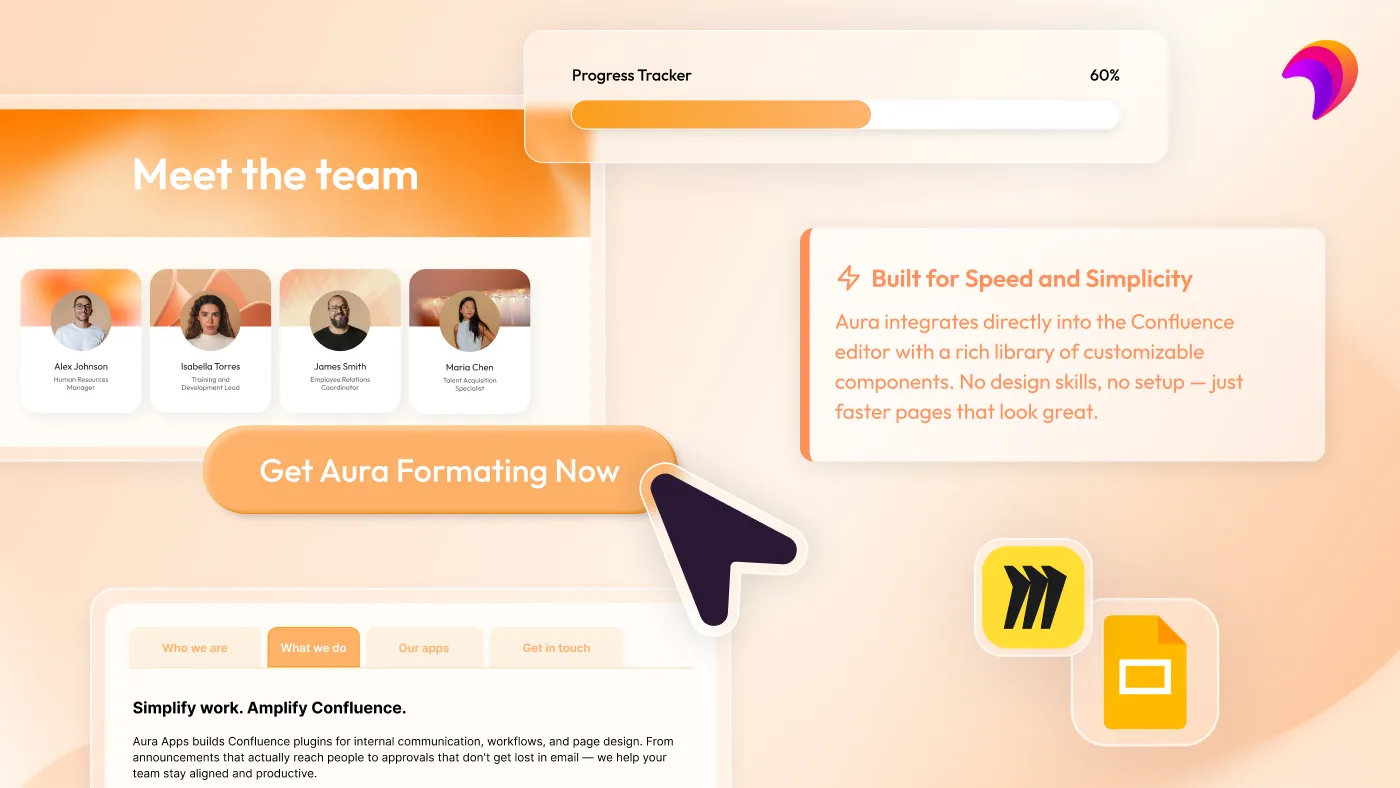
Base Confluence gives you text, tables, and basic panels. Aura Formatting gives you a full design toolkit. The good news is that no coding or design skills are required.
Hero Sections let you open any page with a bold, full-width header: a headline, subheading, background image or color, and a call-to-action button. It’s the kind of treatment you’d expect on a marketing website, now available in your team wiki. Pair it with Cards to create visual, clickable grids for service catalogs, team directories, or resource hubs; a major upgrade from a plain list of links.
Add Buttons to give readers a clear next action, Panels to call out tips, warnings, or key takeaways in styled callout boxes, and Dividers and Titles to establish visual hierarchy throughout the page. Combined, these macros transform the look and feel of any Confluence page from a document into an experience; the kind of thing that makes people actually want to read it.
Aura Formatting combines powerful formatting macros with a more visual, intuitive live-editing experience, helping organizations create beautiful, engaging Confluence content faster and with less training than traditional macro suites such as Refined Macro Toolkit or Kolekti Mosaic.
Best for: Intranet home pages, department hubs, space landing pages, knowledge base articles, project kick-off pages
2. Add structure, data, and advanced functionality with Aura Formatting
Aura Formatting has so much functionality packed into it that it needed two mentions. This time, it’s for its page structure features and how it enables pages to now handle dynamic data.
Tabs let you organize complex documentation into horizontal or vertical navigation — keeping long pages clean and readable without forcing readers to scroll endlessly. Status Dropdowns put live, clickable project indicators directly on the page, so stakeholders can check in without sending a Slack message. Progress Bars visualize how far along a project or checklist is at a glance.
The Embed Macro pulls live content from Figma, Miro, Google Sheets, and Excel directly into the page, keeping everything in one place. Dynamic Content Macros auto-populate feeds from blog posts, news, and child pages, so pages update themselves. And for technical teams, the LaTeX Macro renders mathematical notation natively, so there are no more screenshots of formulas.
Rounding it out: Numbered Headings for long-form documents, Countdown Timers for deadlines, and an HTML Macro for teams that want full custom control in Confluence Cloud.
Best for: Project trackers, technical documentation, OKR pages, research repositories, engineering specs, data science wikis
3. Build stunning pages faster with Karma
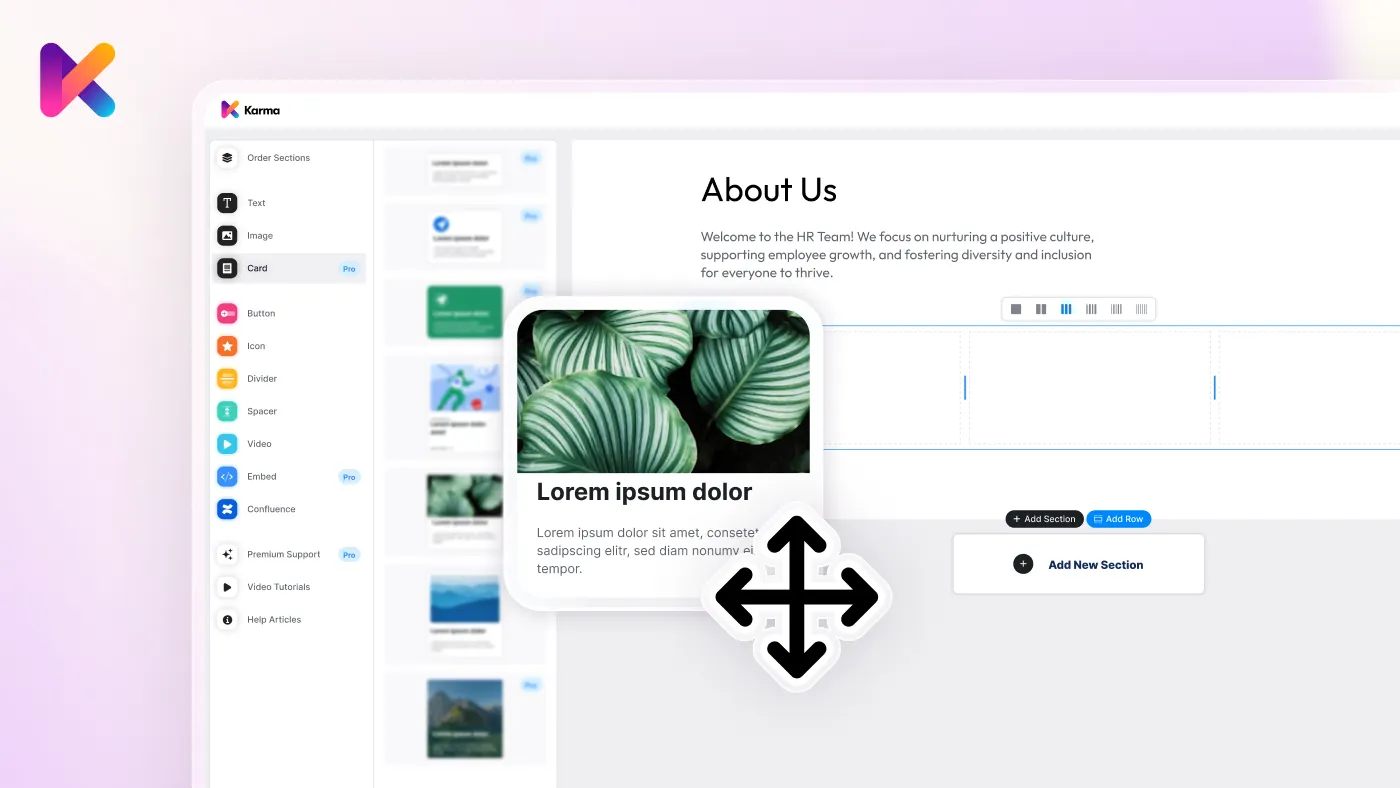
Karma is Aura’s drag-and-drop page builder for Confluence, and it’s what you get when you combine Aura Formatting with a visual editor and 200+ pre-built templates.
Instead of building pages macro by macro, Karma lets you choose from a library of sections and page presets and arrange them with a drag-and-drop interface. Team directories, project landing pages, department hubs, and intranet home pages that would take hours to build manually can be assembled in minutes.
Karma also includes a built-in image library, custom fonts, custom icons, and dark mode support. Literally everything you need to produce pages that look like they were designed by a professional.
If Aura Formatting is your toolkit, Karma is your workshop.
Best for: Teams that want to build polished Confluence pages quickly, intranet builders, and anyone creating templated or standardized page layouts at scale
4. Turn Confluence into a company intranet with Mantra
Mantra transforms Confluence into a fully featured social intranet and digital workplace, complete with a native mobile app for iOS and Android.
Where base Confluence is built around documents and spaces, Mantra adds the social and communications layer that makes an intranet actually feel alive. Publish company news with a built-in editor (no Confluence page required), run polls, manage events with Outlook and Google Calendar sync, and create public or private communities for teams, projects, and interest groups.
A drag-and-drop dashboard builder lets you design custom home pages with widgets for news feeds, events, quick links, social feeds, and more. Additionally, theming controls mean each subsidiary, location, or brand can have its own look.
The mobile app keeps frontline and remote workers connected with push notifications and SSO. Combine with Aura Analytics (more on that below) to track engagement across the entire intranet.
Best for: Companies building a company intranet on Confluence, distributed teams, organizations with frontline or remote workers, enterprises managing multiple brands or locations

5. Control the content lifecycle with Aura Workflow & Approval
Confluence makes it easy to publish content. Aura Workflow & Approval makes it easy to control what gets published and ensures it meets your quality and compliance standards before it does.
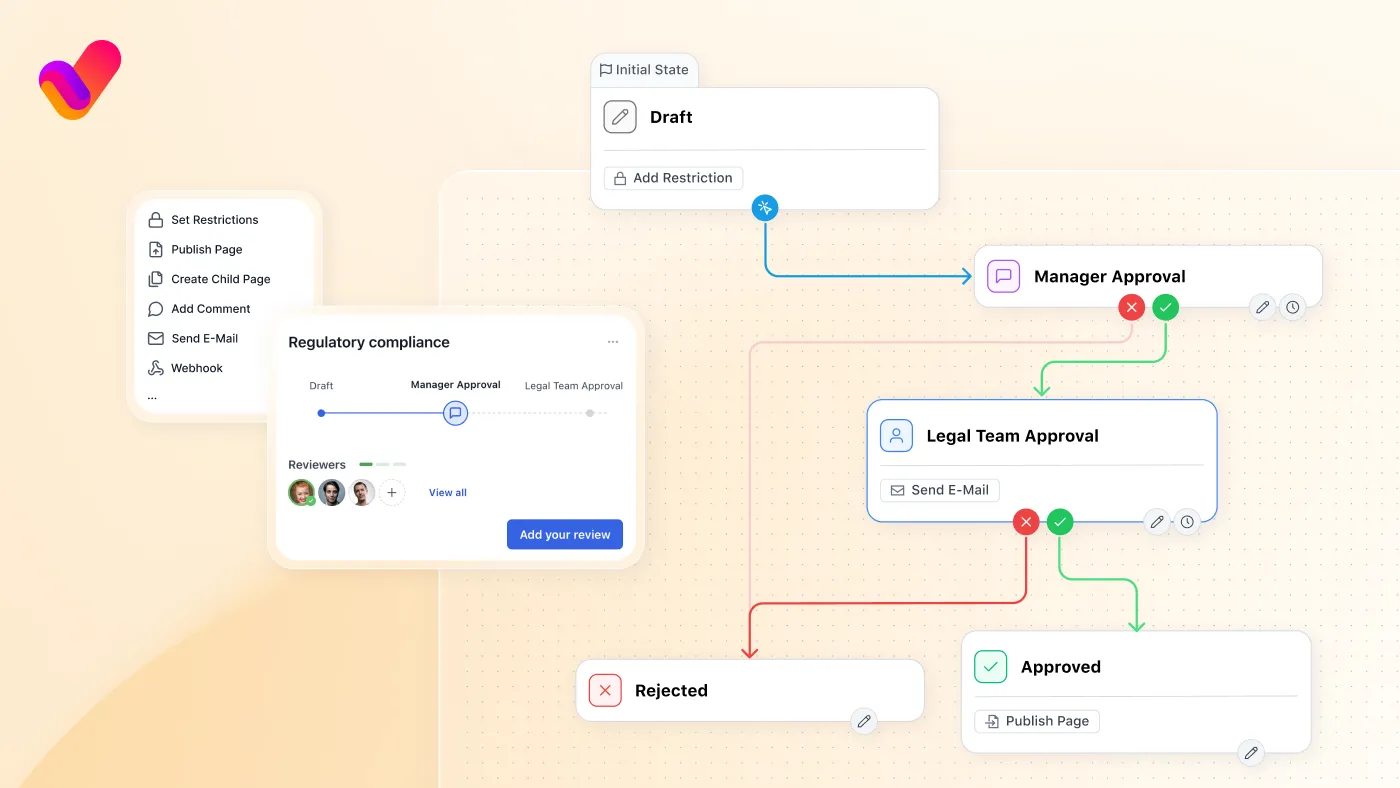
The app adds multi-step approval workflows directly to Confluence pages. Define review stages, assign approvers, set conditions, and automate the next steps: remove restrictions, publish to another space, apply labels, and send notifications. Pre-built templates get you started quickly; a drag-and-drop workflow editor lets you customize to match your exact process.
For regulated industries, Aura Workflow & Approval also provides full audit trails and document version history that meet compliance requirements for ISO 27001, ISO 9001, HIPAA, MDR, NIST, and more. It also serves as a migration path for teams coming from Comala Publishing and Comala Document Management.
Best for: Quality assurance teams, compliance-driven industries, policy and procedure documentation, any team that needs to control what gets published and when
6. Make tables interactive with Aura Table Filter
Confluence tables are static by default. Aura Table Filter changes that, and it’s completely free.
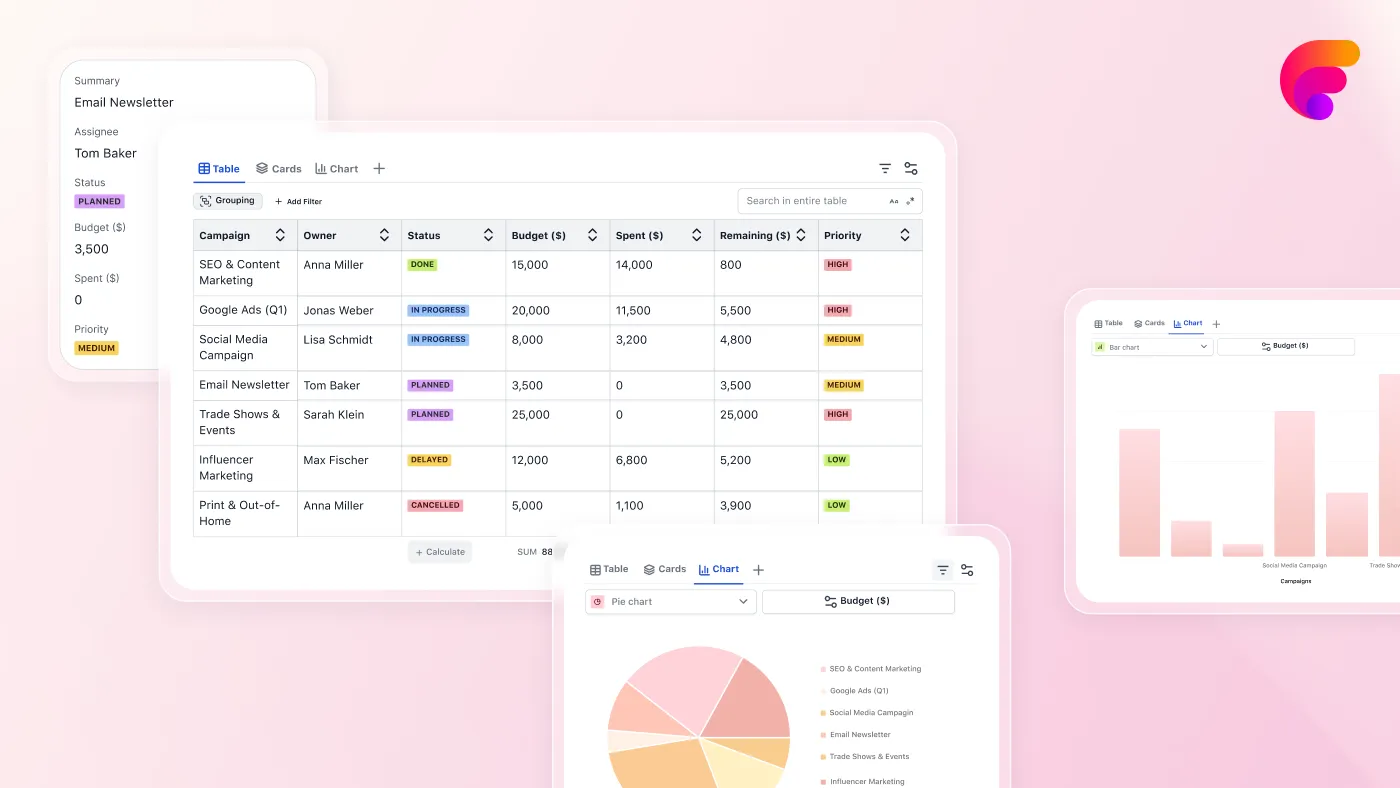
With Aura Table Filter, readers can filter, sort, group, and search table data directly in view mode, so there’s no editing required. Switch between table, card, and chart views. Export to CSV or PDF. Combine data from multiple tables using Excerpt/Include. Run calculations. It supports Page Properties reports, making it powerful for cross-page data aggregation.
The net result: your Confluence tables stop being a place to dump data and start being a tool for finding and understanding it. Activation takes two clicks on any existing table, so there’s no migration headache.
Best for: Project trackers, risk registers, bug lists, requirement matrices, any page where readers need to slice and filter tabular data
7. Understand what’s working with Aura Analytics
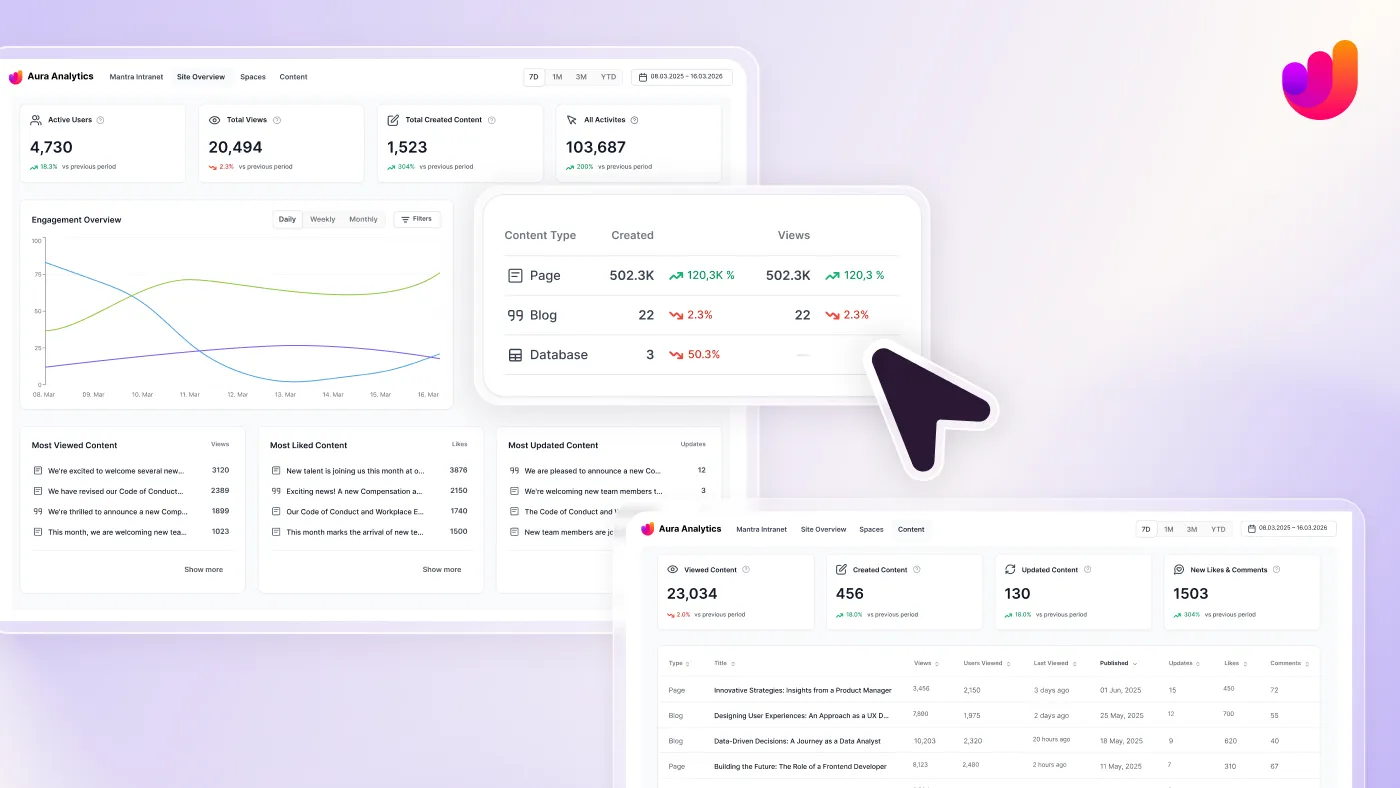
You can’t improve what you can’t measure. Aura Analytics gives you real-time insight into how your Confluence content is actually being used. There is also no cost to you for Aura Analytics.
From a site-level overview down to individual pages, Aura Analytics tracks active users, total views, content creation, engagement trends, and activity over time. You can identify which spaces and pages are thriving, which are stale, and which aren’t being used at all. For teams running Mantra, there’s a dedicated intranet dashboard with metrics for news, posts, events, communities, and navigation entries.
Everything runs on Atlassian’s Forge platform, which means there’s zero data egress, full data residency compliance, and it’s ISO 27001 certified. Your usage data never leaves your Atlassian environment.
Best for: Confluence admins, intranet managers, content strategists, and anyone who needs to justify their Confluence investment or identify where to focus improvement efforts
Build the Confluence experience your team actually deserves
Whether you start with a single app or deploy the full suite, Aura Apps gives you everything you need to take Confluence from a document repository to a living, functional workspace — for teams of any size, in any industry.
Not sure where to start? Browse our solution pages by goal: Engagement for intranets and internal comms, Governance for approval workflows and compliance, or Essentials for page design and formatting basics.
Explore the full Aura suite on the Atlassian Marketplace:
- Aura Formatting
- Karma Page Builder
- Mantra Intranet
- Aura Workflow & Approval
- Aura Table Filter (free)
- Aura Analytics (free)
Frequently asked questions
Does Aura Apps work with both Confluence Cloud and Data Center?
Most of the suite supports both Cloud and Data Center. Aura Formatting, Karma, Workflow & Approval, Table Filter, and Analytics all support Confluence Cloud; check each app’s Marketplace listing for full compatibility with Confluence Cloud. Mantra is currently Cloud only.
Do I need coding or design skills to use these apps?
Not at all. Every app in the Aura Apps suite is configured through Confluence’s standard UI. No HTML, CSS, or design experience required. The HTML macro in Aura Formatting is available for those who want it, but it’s entirely optional.
Can Aura Apps replace multiple standalone apps I’m already paying for?
Yes. Aura Formatting includes a Migration Hub to consolidate apps for numbered headings, LaTeX math, and other formatting tools. Aura Workflow & Approval supports migration from Comala Publishing and Comala Document Management. Aura Table Filter includes a migration tool for teams switching from other table filter apps.
Are Aura Table Filter and Aura Analytics really free?
Yes, both are fully free with no feature limitations. They run on Atlassian’s Forge platform, which means zero data egress and full data residency compliance.
How does Aura handle brand consistency across a large Confluence instance?
Aura Formatting includes admin-level Color Management and Custom Fonts controls that define a shared palette and typography all macros draw from. Karma extends this with additional design controls and templates. Mantra adds per-location and per-subsidiary theming for organizations managing multiple brands.