 By Lilly Sophie Lietz Jul 2, 2026 5 minute read
Comala Publishing to Aura Workflow: Unify Your Publishing and Document Governance in One App
Migrate from Comala Publishing to Aura Workflow and unify your publishing and document governance in a single app.
Many Confluence teams run Comala Publishing for content staging alongside Comala Document Management for approvals and compliance — two separate apps for what is essentially one workflow. Aura Workflow eliminates that split. It brings publishing controls and document lifecycle management into a single app, giving you one place to manage drafts, reviews, approvals, and publication.
And switching is easy: AppAnvil’s “Free Migration Included” service means our experts handle the transition for you — at no additional cost.
Why Aura Workflow replaces both Comala Publishing and Comala Document Management
Most organizations use Comala Publishing and Comala Document Management together. Aura Workflow was built to cover both use cases in one unified solution:
Combined Publishing and Governance: Instead of managing publishing rules in one app and approval workflows in another, Aura Workflow handles both. Define your entire content lifecycle — from draft to review to publication — in a single workflow configuration.
Automated Lifecycle Management: Automate your document lifecycle from creation to publication. Use conditional logic to enforce the exact reviews and approvals your organization requires, with total consistency across your instance.
Role-Based Control and Security: Configure workflows with role-based reviews, expirations, and granular access controls. Your teams stay productive while data security and version accuracy are enforced automatically.
Complete Audit Trail: Aura captures every edit, approval, and state change, providing a verifiable history for compliance. You always know who did what and when.
One Subscription Instead of Two: Consolidating Comala Publishing and Comala Document Management into Aura Workflow reduces your licensing costs from two subscriptions to one.
Prerequisites: Getting Comala Publishing ready for migration
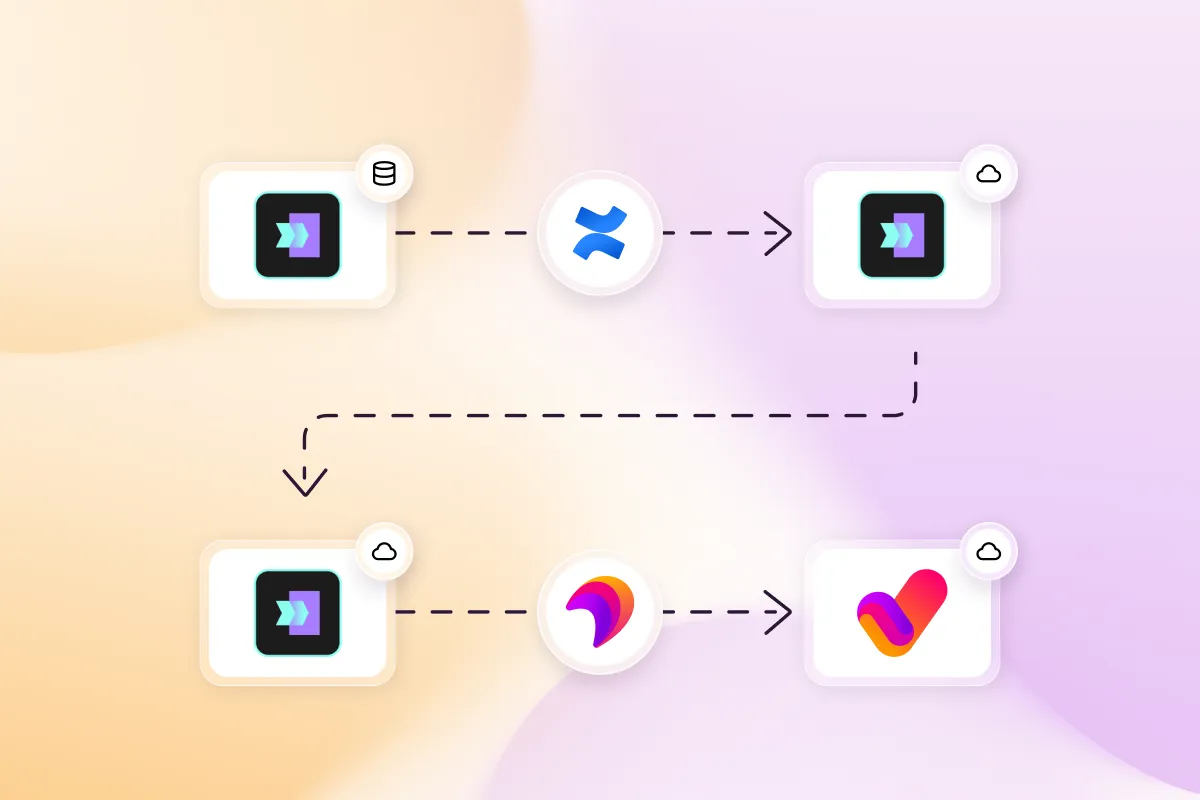
The Comala-to-Aura migration supports both Comala Data Center and Comala Cloud. If your goal is to run Aura Workflow in Confluence Cloud, your Comala instance must be accessible for the migration script to extract workflow data.
For organizations moving from Data Center to Cloud, complete your DC-to-Cloud migration first using the Atlassian Cloud Migration Assistant. Once Comala Publishing is running in its Cloud version, you can proceed with the Aura migration.
Additional prerequisites:
- Aura Workflow must be installed and your target workflows must already be configured in Aura — with matching state names where possible.
- You need Site Admin permissions in Confluence to access the migration feature.
- You will receive the migration script bundle from AppAnvil on request, or a consultant can run the migration for you.
How the migration from Comala Publishing to Aura Workflow works
The Comala Publishing migration follows the same script-based process as the Comala Document Management migration. The migration preserves each page’s current workflow state, so your content continues where it left off after switching to Aura Workflow.
Here is how the process works in five steps:
Step 1: Recreate your workflows in Aura
Before migrating, set up your Comala Publishing workflows in Aura Workflow — either as global or space-scoped workflows, matching your existing setup. Use the same state names as in Comala where possible. If a state name cannot be matched during migration, the page will be assigned the workflow’s initial state as a fallback.
Step 2: Run the migration script
AppAnvil provides a migration script bundle that connects to your Comala instance, extracts all active workflow assignments, and generates a JSON file. The script supports both Comala Data Center and Comala Cloud.
For Data Center, the script extracts workflow data automatically using your DC credentials. For Cloud, the Comala API does not expose workflow names directly — the generated JSON will contain placeholders that must be manually replaced with the actual Aura workflow names and scopes before uploading.
Step 3: Review the generated JSON
Before uploading, review the JSON file. Each entry represents a single page or blogpost with its workflow assignment, including the content title, current state name, space key, target workflow name, and workflow scope. Verify that workflow names match your Aura configuration exactly, scopes are correct (global or space), and state names align with the target Aura workflow.
Step 4: Upload and start the migration
Open Aura Workflow in Confluence, navigate to the Migration section, and upload the JSON file. Click Start Migration to begin the process. Large files are uploaded in chunks automatically.
Step 5: Monitor and finalize
The migration UI shows applied pages, failed pages, and elapsed time in real time. You can stop and restart the migration at any time. After completion, successfully migrated pages will have their Aura Workflow applied with the correct state, and a migration history event is recorded for each page.
If some pages failed, review the count and retry the migration for the remaining pages.
Need more technical detail? For the full technical walkthrough — including script configuration, JSON field reference, state matching logic, and troubleshooting — visit the complete migration documentation.
Comala Publishing is handled — what about the rest of your app stack?
Once your publishing workflows are consolidated, consider migrating additional apps through the Aura ecosystem:
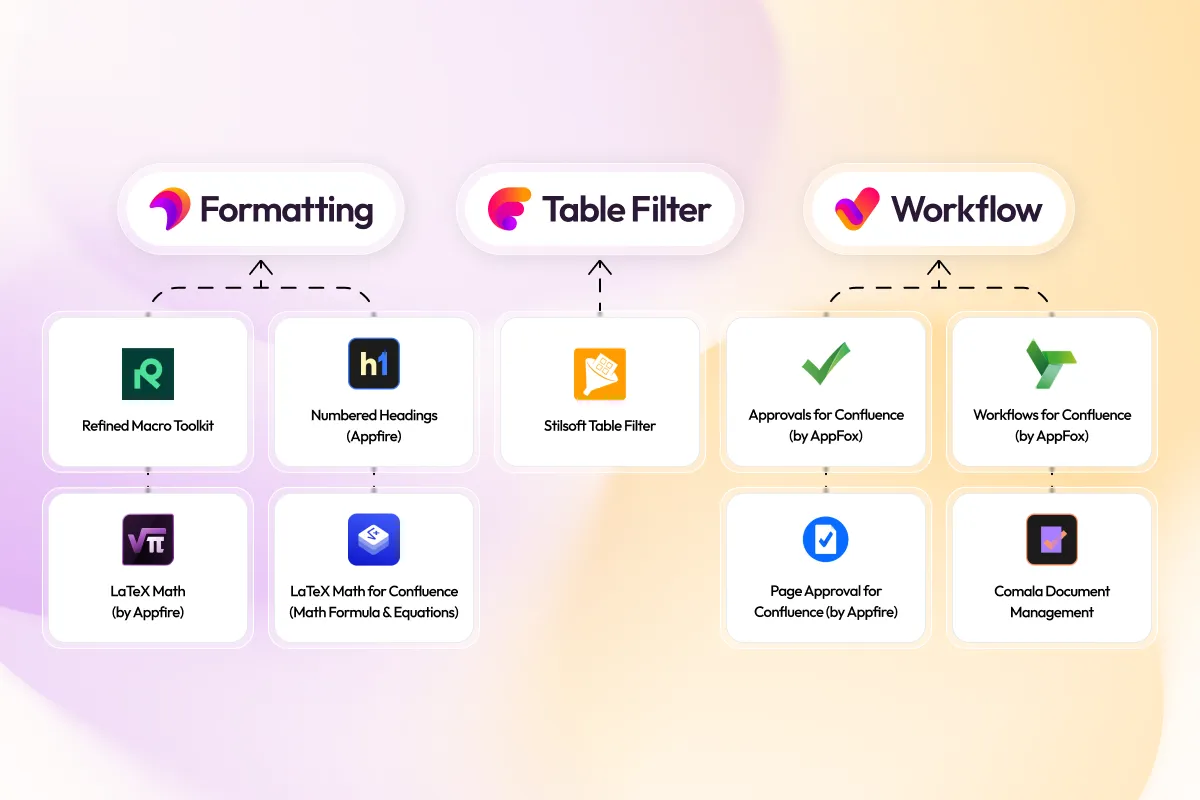
Document Management: If you also run Comala Document Management, migrate it to Aura Workflow using the same process — consolidating both Comala apps into one.
Data and Visualization: Move from Stiltsoft Table Filter to Aura Table Filter for integrated charting and modern filtering.
Structure and Design: Replace the Refined Macro Toolkit or Appfire Numbered Headings with Aura Formatting.
Technical Documentation: Migrate from Appfire LaTeX Math or Narva LaTeX Math to Aura Formatting for high-fidelity formula rendering.
Additional Workflow Apps: The Aura Migration Hub also supports transitions from AppFox Workflows and Appfire Page Approval.