Confluence Company Hub: native, Karma, or Mantra
Native Confluence Company Hub, Karma with Aura Formatting, or a full Mantra intranet? A practical comparison to help you pick the right company hub.
A company hub should make it easy for employees to find the information, resources, and people they need to do their best work.
For organizations already using Confluence, that makes Confluence a natural place to build one. Your teams are already there, your knowledge already lives there, and employees do not need another disconnected platform to find company information.
Atlassian’s native Confluence Company Hub has also evolved considerably. What began as a relatively simple company landing experience now offers richer layouts, dynamic content, audience targeting, navigation, curated search, and additional tools for managing a centralized company destination.
For many organizations, that may be exactly what they need.
But what happens when your requirements extend beyond a centrally managed company information hub?
Perhaps you need greater control over branding and page design. Maybe different employee groups need different experiences. Or perhaps your company hub needs to become a place where employees do more than consume information, with news, posts, events, polls, communities, and opportunities to connect with colleagues.
That’s where apps such as Karma, Aura Formatting, and Mantra can extend what’s possible in Confluence.
The question isn’t simply which solution has the most features.
Rather, it’s which company hub experience does your organization actually need?
What is Confluence Company Hub?
Confluence Company Hub gives organizations a central location for company-wide information directly within Confluence Cloud.
Available with Confluence Cloud Premium and Enterprise subscriptions, Company Hub can serve as a branded destination where employees discover announcements, important resources, company content, and links to the information they use most often.
And native Company Hub has become considerably more capable since its introduction.
According to Atlassian’s Company Hub documentation, organizations can now build hubs using elements such as:
- Sections to organize content and create customized layouts
- Spotlights for prominent announcements, campaigns, and important information
- Carousels for visually presenting multiple pieces of content
- Cards for manually curated or dynamically populated resources
- Audience targeting to show selected card content to specific Confluence groups
- Links menus for structured navigation to important internal and external resources
- Custom search to help employees find curated subsets of Confluence content
Company Hub editors can also customize colors and other visual elements, while administrators can delegate editing rights to specific individuals or groups. Version history provides an additional layer of control by allowing previous versions of a hub to be reviewed and restored.
That makes native Company Hub an option for organizations whose primary goal is to create a centrally managed, visually engaging destination for company information.
And that’s an important distinction. Native Company Hub does quite a bit today. You shouldn’t add another app simply because one exists.
The question is whether your requirements stop there.
When native Confluence Company Hub may be enough
For some organizations, native Company Hub provides the right balance of functionality and simplicity.
It may be a particularly good fit if:
- Your organization uses Confluence Cloud Premium or Enterprise
- You need a central company-wide destination for information and resources
- Your communication model is primarily focused on distributing company information to employees
- Native layout and branding options provide enough design flexibility
- Confluence group-based audience targeting meets your content-targeting requirements
- You want employees to search a curated collection of Confluence content
- You prefer to stay entirely within native Confluence functionality
In that scenario, there may be little reason to complicate things. But organizations often discover that their company hub requirements grow over time.
A single landing experience may need to support more sophisticated branding. Teams may want reusable layouts and richer content experiences. Internal communications may need dedicated news, events, polls, and employee posts. Different audiences may require more personalized experiences.
At that point, the question changes from:
“Can we build a company hub in Confluence?”
to:
“What do we want our employees to be able to do when they get there?”
Go beyond native design with Karma and Aura Formatting
Sometimes the limitation isn’t the idea of a Company Hub itself.
It’s how much control you need over the experience.
Karma and Aura Formatting extend Confluence with additional tools for organizations that want more flexibility in how company hubs, landing pages, and other Confluence content look and behave.
Build branded experiences faster with Karma
Karma provides a visual drag-and-drop editor that makes building sophisticated Confluence pages easier, without requiring extensive design or technical expertise.
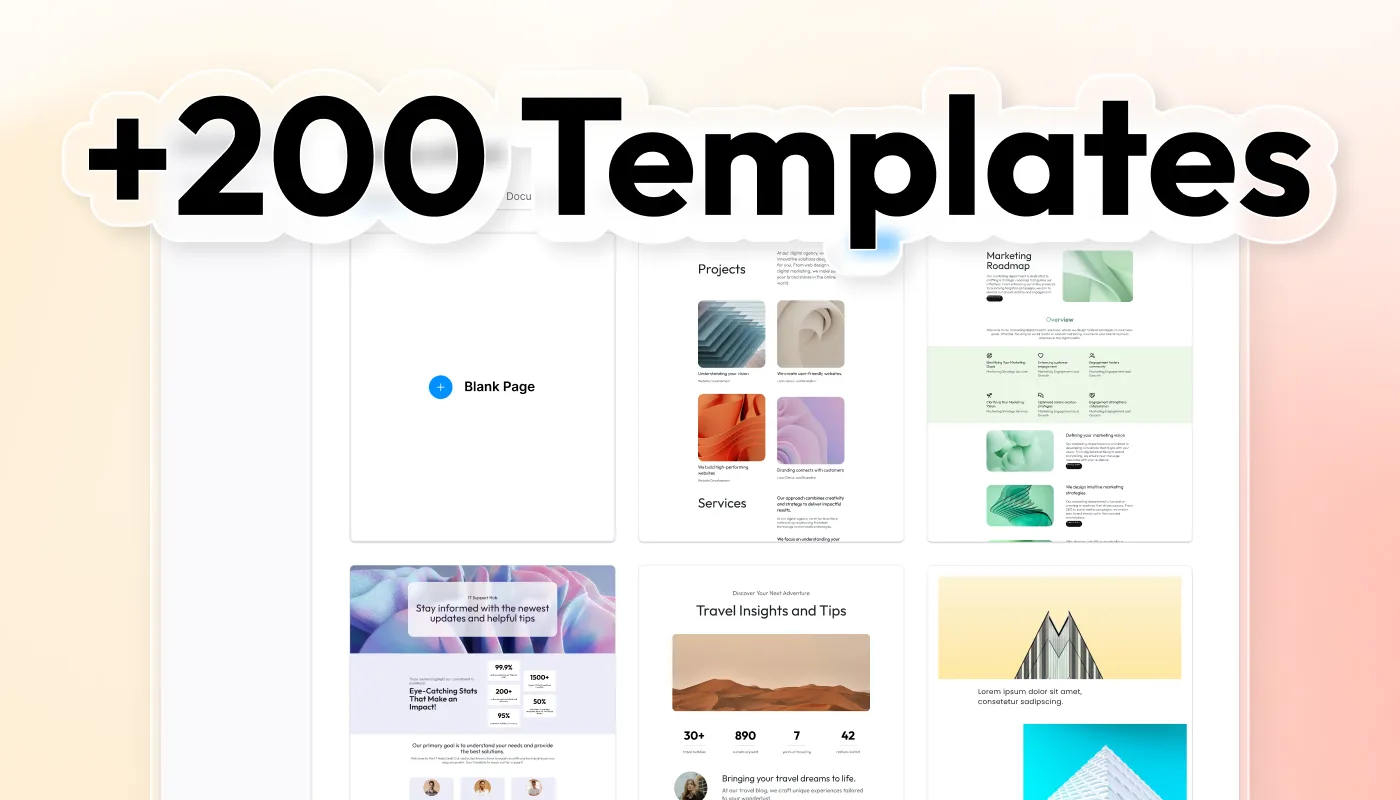
Teams can start with more than 200 templates and then customize their experiences using options such as cards, buttons, backgrounds, fonts, icons, color palettes, gradients, images, and other visual elements.
When used with Aura Formatting, organizations can also save custom page and section templates, making successful designs reusable rather than rebuilding the same layouts repeatedly.
That becomes especially valuable when multiple teams contribute to Confluence.
Instead of asking every page creator to become a designer, organizations can establish reusable visual patterns that help content remain consistent with their brand. Karma’s Super User capabilities can further support this approach by giving designated users greater control over shared design resources.
Karma is free for Confluence sites with up to 10 users and uses paid plans for larger instances.
Add richer content experiences with Aura Formatting
Aura Formatting complements this approach with additional components for creating engaging Confluence content.
Rather than relying solely on native formatting, teams can use Aura Formatting components to organize, highlight, reveal, and present information in different ways. Components such as cards, tabs, status elements, buttons, expandable content, and other formatting options provide additional flexibility when building pages for different use cases.
Karma and Aura Formatting also increasingly work as complementary parts of the same design experience. Using the products together unlocks additional capabilities, allowing organizations to combine Karma’s visual page-building workflow with Aura Formatting’s richer content components.
The result isn’t simply a “prettier” Company Hub.
It’s greater control over how information is structured, branded, reused, and experienced throughout Confluence.
But design is only one part of an employee experience. What if employees need to do more than find and consume information?
From company hub to digital employee experience
A traditional company hub is largely centered around a familiar communication model:
Organization → employee
The organization publishes information. Employees find and consume it. That’s useful, and native Company Hub has become increasingly good at it.
But many organizations need communication to move in more than one direction:
Organization ↔ employee ↔ employee
Employees may need to respond to company initiatives, participate in polls, discover events, follow news, connect with colleagues, join communities, or receive experiences tailored to their needs.
At that point, you’re no longer simply designing a better landing page. You’re building an intranet and digital employee experience. That’s where Mantra enters the picture.
Turn Confluence into an intranet with Mantra
Mantra builds on Confluence to provide a more complete employee intranet experience.
Rather than relying on a single company-wide destination, organizations can create tailored dashboards and experiences for different audiences and use cases while keeping Confluence at the center of their knowledge ecosystem.
Personalized dashboards
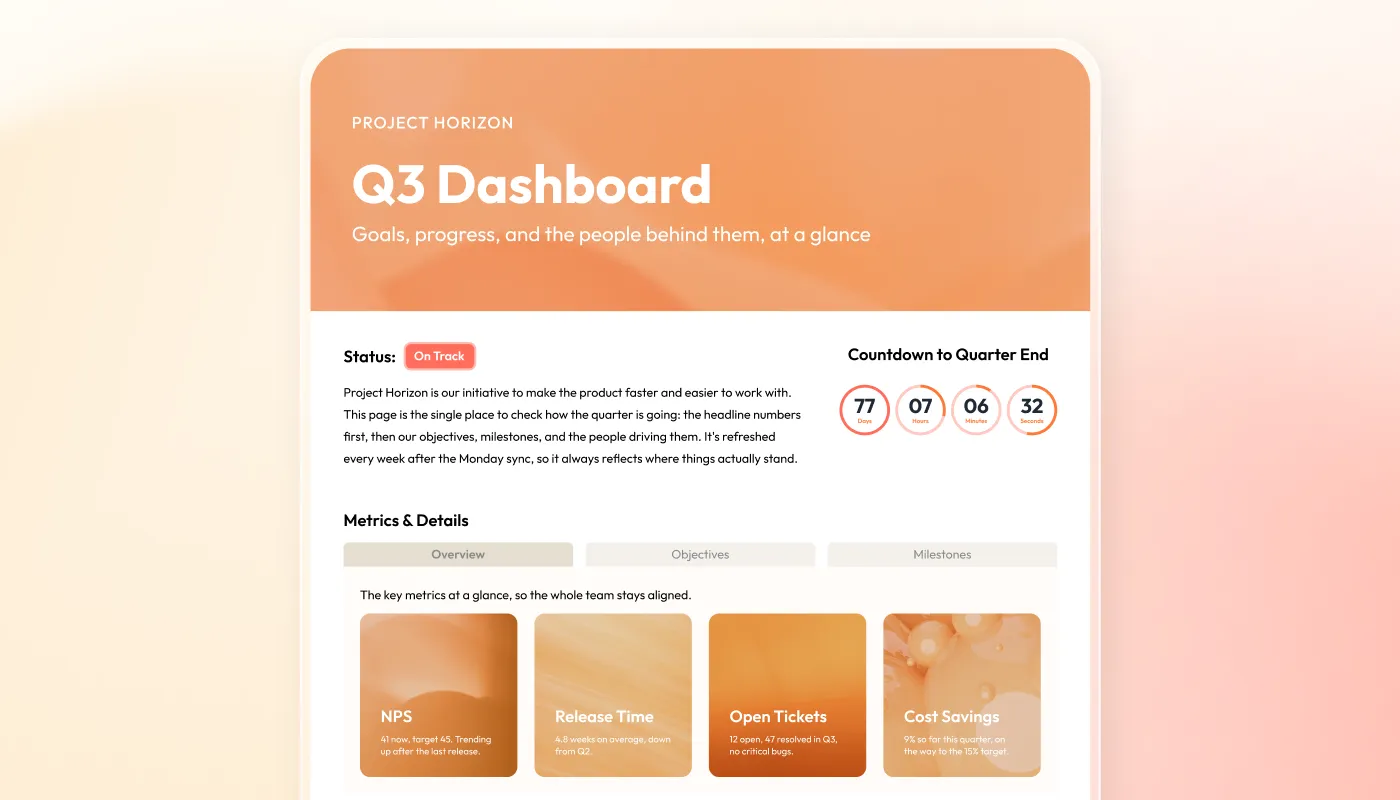
Mantra’s Dashboard Editor provides a drag-and-drop environment for creating employee experiences containing relevant content and functionality.
Different dashboards can support different audiences, teams, locations, or organizational needs, allowing the intranet experience to become more tailored than a single company-wide hub.
News and employee posts
Company communication isn’t limited to placing content on a landing page.
Mantra provides dedicated news and post capabilities that help organizations distribute formal company communications while also enabling employees to contribute to the conversation.
That distinction is important. A company hub can keep employees informed about what’s happening. An intranet can also provide ways for employees to participate.
Posts can also take different forms, including polls, giving organizations a simple way to collect employee opinions, preferences, and feedback while encouraging participation within the intranet.
Native Company Hub does not currently provide a dedicated polling capability.
Events
Company events can become part of the employee experience rather than information scattered across pages, messages, and calendars.
Mantra provides dedicated event functionality for promoting and discovering activities relevant to employees.
Communities
Not every meaningful workplace connection follows the organizational chart.
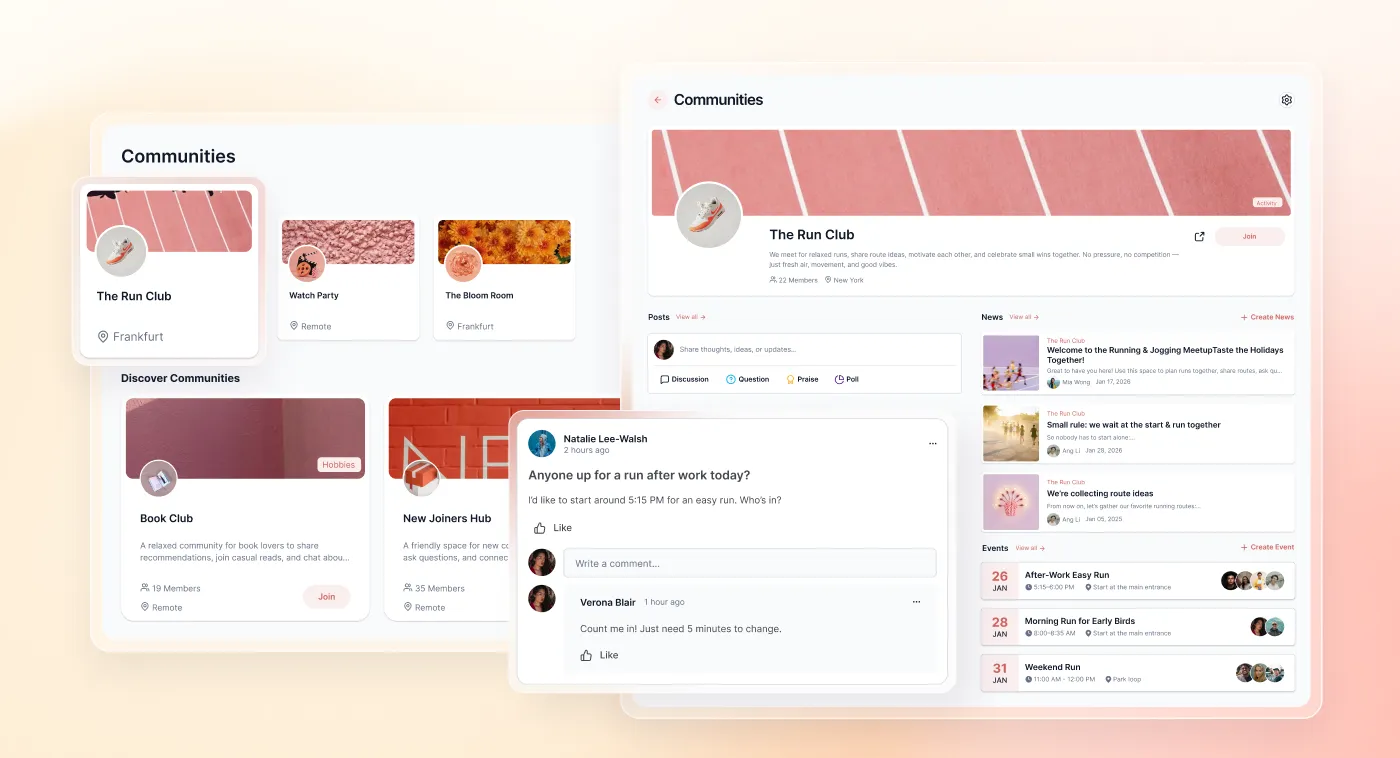
Mantra Communities allows employees to connect around shared interests, initiatives, locations, or topics, creating spaces for interaction that extend beyond top-down company communication.
Mantra Communities requires Confluence Standard, Premium, or Enterprise and is not available with Confluence Free.
People directory
Finding information is only part of working effectively. Employees also need to find people.
Mantra’s People Directory helps employees discover colleagues and better understand the people within their organization.
Themes and branding
Mantra provides additional tools for shaping the overall intranet experience around an organization’s identity, including themes and customizable dashboards.
This allows branding to extend beyond individual pieces of content into the broader employee experience.
Mobile experience
For organizations with distributed, frontline, or frequently mobile employees, access to company information can’t depend entirely on sitting in front of a desktop browser.
Mantra extends the intranet experience to mobile devices, helping employees stay connected to company information and activity wherever their work happens.



Microsoft Entra ID integration
For organizations using Microsoft identity infrastructure, Mantra’s Entra integration can help synchronize employee information and support a more accurate, maintainable people experience within the intranet.
Together, these capabilities move the conversation beyond building a company homepage.
They help transform Confluence into a place for communication, participation, discovery, and community.
Native Company Hub vs. Karma + Aura Formatting vs. Mantra
There isn’t one universally “best” approach.
The right solution depends on what your organization wants its company hub to accomplish.
| Capability | Native Company Hub | Karma + Aura Formatting | Mantra |
|---|---|---|---|
| Central company destination | ✓ | ✓ | ✓ |
| Advanced visual customization | Native options | ✓ | ✓ |
| Reusable design templates | Limited | ✓ | ✓ |
| Audience targeting/personalization | Group-targeted content | Design/content focused | ✓ |
| Dedicated company news | Content can be surfaced | — | ✓ |
| Employee posts | — | — | ✓ |
| Polls | — | — | ✓ |
| Events | — | — | ✓ |
| Communities | — | — | ✓ |
| People directory | — | — | ✓ |
| Multiple tailored dashboards | — | Page-based experiences | ✓ |
| Dedicated mobile intranet experience | — | — | ✓ |
Mantra Communities requires Confluence Standard or higher.
The differences become clearer when you stop thinking about these options as competing versions of the same product.
They’re solving different levels of the problem.
Which Confluence Company Hub approach is right for you?
Choose Native Company Hub when…
Your organization primarily needs a polished, centrally managed destination for company information.
If you’re already using Confluence Cloud Premium or Enterprise and native layouts, dynamic content, audience targeting, navigation, and curated search satisfy your requirements, Company Hub may be all you need.
That’s not a compromise. It’s choosing the simplest solution that meets the requirement.
Add Karma and Aura Formatting when…
Your requirements center on greater creative freedom and richer content experiences.
Karma and Aura Formatting are particularly useful when teams need sophisticated branded layouts, reusable templates, additional visual components, and greater control over how Confluence content is presented.
They can extend your Confluence experience without requiring you to turn it into a full social intranet.
Choose Mantra when…
Your requirements extend beyond presenting company information.
If employees need personalized dashboards, dedicated news and posts, polls, events, communities, people discovery, mobile access, and more opportunities to participate in the employee experience, Mantra provides the additional intranet layer.
The distinction is less about how your Company Hub looks and more about what employees can do with it.
Build the Company Hub your employees actually need
Confluence Company Hub has grown into a capable native solution for organizations that need a centralized destination for company information.
For some organizations, that’s exactly the right answer. Others need more.
Karma and Aura Formatting provide greater flexibility for organizations that want richer design, reusable visual experiences, and additional ways to present Confluence content.
And when the requirement expands from distributing information to creating a personalized, participatory employee experience, Mantra can turn Confluence into a broader company intranet.
The goal isn’t to add the most functionality possible. It’s to give employees the experience they need without adding complexity they don’t.
Start there, and the right approach to your Confluence Company Hub becomes much easier to see.
Not sure which approach fits your organization? Tell us what you need your company hub to do, and we’ll help you explore the options.